




Linking Apps
Select the app you want to link to view the instructions.
-
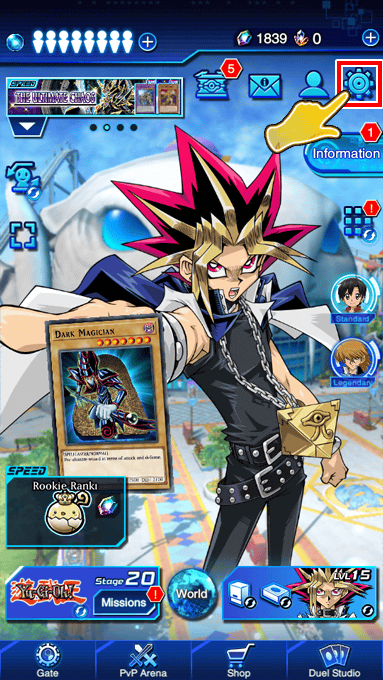
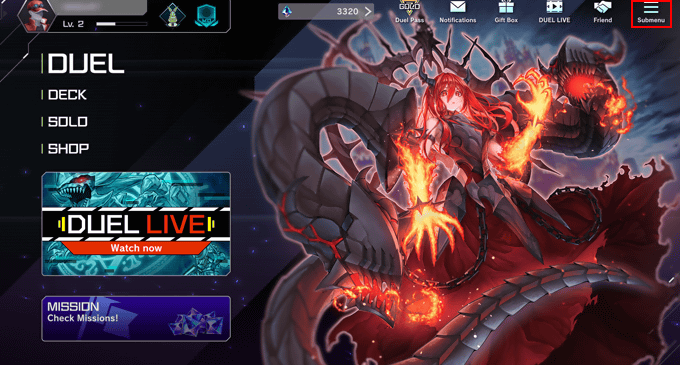
Select the Submenu in the upper-right corner of the Home screen.
-
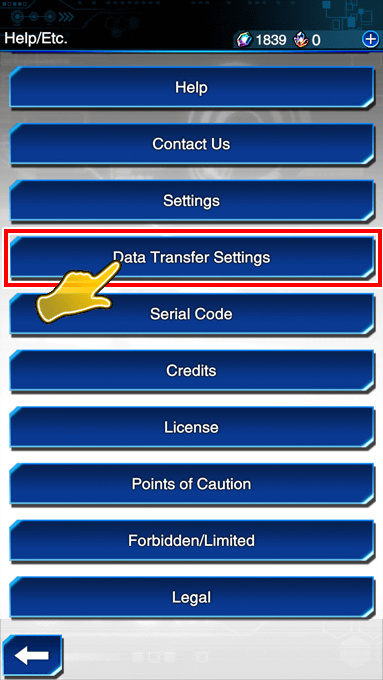
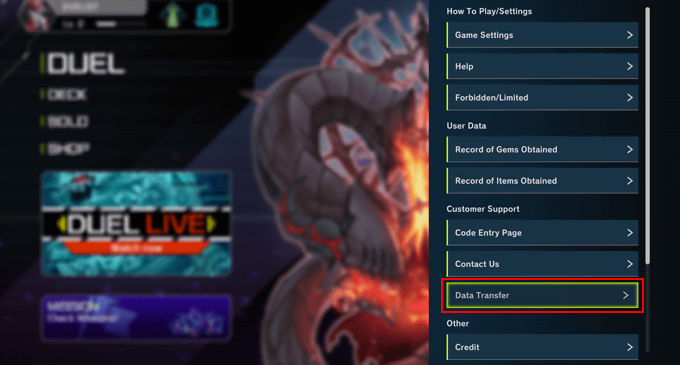
Next, select Data Transfer under Customer Support.
-
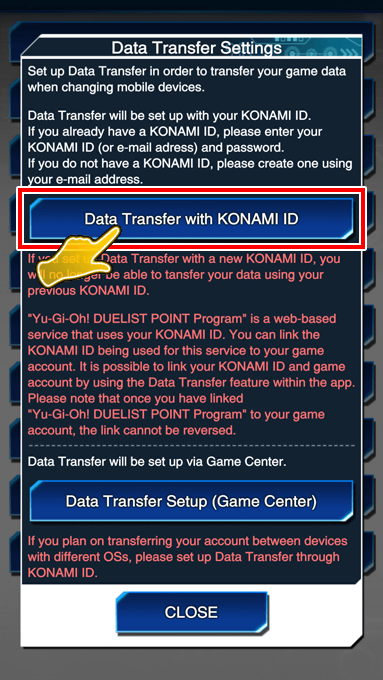
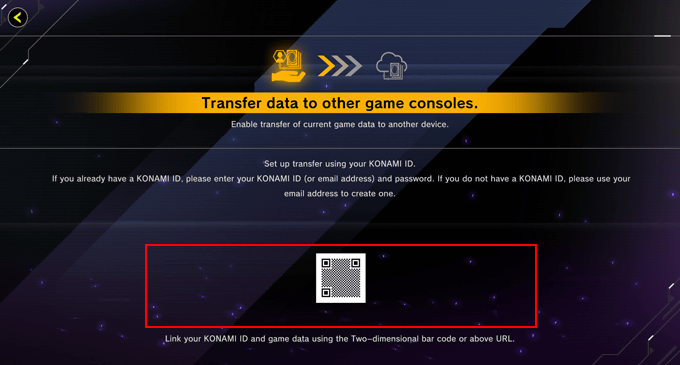
Use the QR-Code (address display) shown on the Data Transfer screen or press the Data Transfer with KONAMI ID button to go to the KONAMI ID login screen.
-
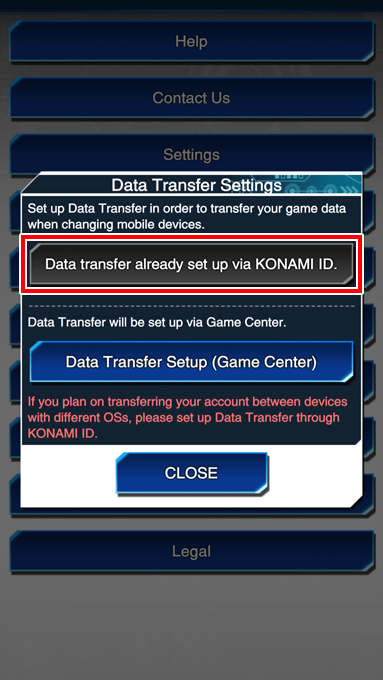
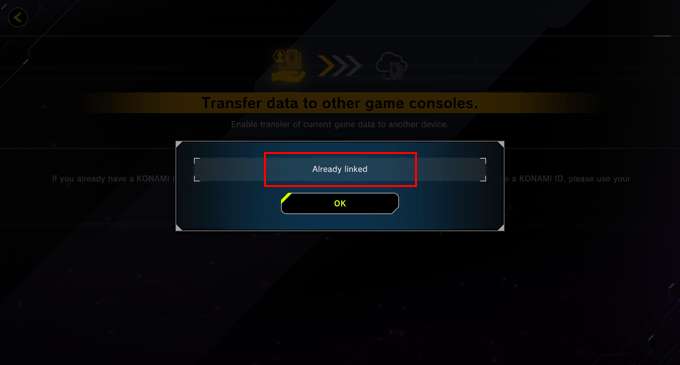
If the link is completed, the pop-up window shown below will be displayed within the app.
-
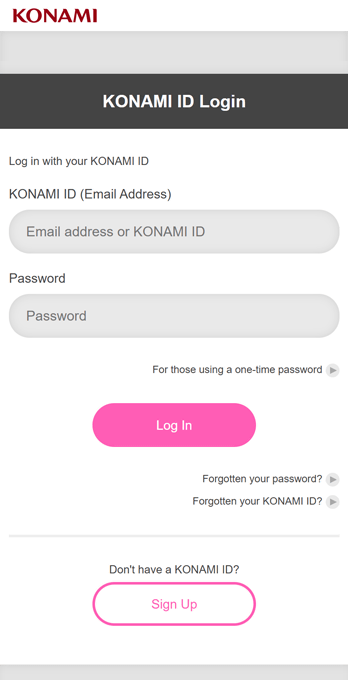
Log in using your KONAMI ID.
Note: If you do not have a KONAMI ID, you will need to register a new one.
-
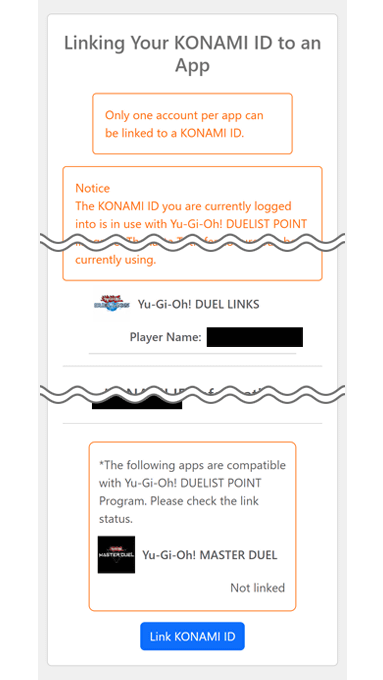
The registration information for the KONAMI ID to be linked to the game account will be displayed.
Please ensure there are no errors with the information shown and then select Link to continue.
Note: Once you have linked your game account to a KONAMI ID, you can no longer link it to a different KONAMI ID after registering it with the Yu-Gi-Oh! DUELIST POINT Program. When registering for the Yu-Gi-Oh! DUELIST POINT Program, the link info for your KONAMI ID and game account will be displayed, so check them carefully to ensure there are no errors.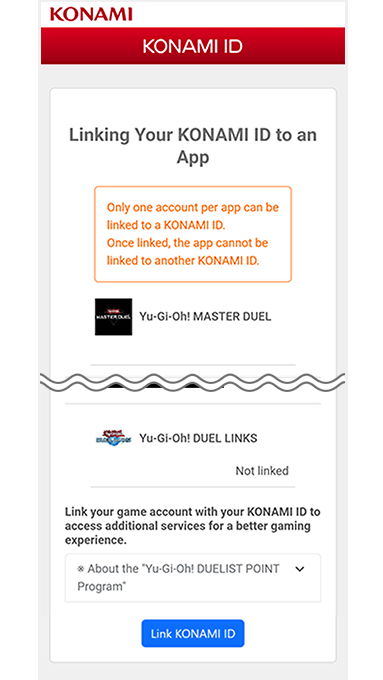
©2020 Studio Dice/SHUEISHA, TV TOKYO, KONAMI ©Konami Digital Entertainment